App 169betcasino: Bet and Play on Mobile with Total Ease

The 169betcasino app brings the full game lobby and sports markets to the palm of your hand. Smooth interface, real-time notifications, and Pix deposits directly from your phone.

Android 6.0+ iOS 13+ Free
169betcasino

169betcasino App — betting and games in the palm of your hand


4.7
★★★★★
Average rating
50MB
App size
500+
Games on the app
24/7
In-app support

169betcasino

Intuitive interface of the 169betcasino mobile app

What you can do in the app

The 169betcasino app is not a stripped-down version of the site — it is a complete platform optimized for touch screens. See the key features available:

Sports Betting

Bet on football, basketball, tennis, e-sports, and more with real-time updated odds.

Slots and Casino

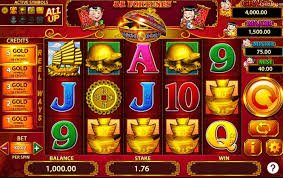
Access hundreds of slots, jackpots, and crash games with the same graphic quality as on desktop.

Live Casino

Roulette, blackjack, and baccarat tables with HD streaming directly on your phone.

Pix in the App

Deposit and withdraw in BRL via Pix directly through the app, without needing to open a browser.

Push Notifications

Receive result alerts, exclusive promotions, and real-time odds updates.

Biometric Login

Sign in to your account with fingerprint or facial recognition — fast and secure.


How to download and install the app

The process is simple and takes less than two minutes. See how to do it on each platform.

Installation on Android

1
Go to the Download page

In your Android browser, go to the page Download of 169betcasino and tap the download button for Android.

2
Allow unknown sources

Android may ask for permission to install apps outside the Play Store. Go to Settings → Security → Unknown Sources and enable the option for your browser.

3
Install the APK file

Open the downloaded .APK file and tap "Install". The process is automatic and takes just a few seconds.

4
Open the app and log in

The 169betcasino icon will appear on your home screen. Tap to open it, sign in to your account or register right now.

Installation on iPhone (iOS)

1
Open Safari on iPhone

In Safari, go to the page Download of 169betcasino. It is important to use Safari so that the add to home screen option works correctly.

2
Tap "Share"

In Safari, tap the share icon (square with an upward arrow) at the bottom of the screen.

3
Add to Home Screen

Scroll down in the share menu and select "Add to Home Screen". Confirm the name and tap "Add".

4
Access as a native app

The 169betcasino icon will be on your home screen. When you tap it, the site opens in full-screen mode with no browser bar — an experience equivalent to a native app.


App or mobile browser: which is better?

Both options work well, but the dedicated app offers advantages that the browser simply cannot replicate. See for yourself:

Feature App Browser
Loading speed
Push notifications
Biometric login
Offline access to history
Pix Deposit
Live Betting
Live Casino in HD
Optimized battery consumption
169betcasino

169betcasino app vs. browser — superior mobile experience


Everything about the app of 169betcasino

Why use the app instead of the website?

Most Brazilian bettors already access betting platforms on mobile — whether on 4G on the bus or on home Wi-Fi. The 169betcasino was developed with this in mind, and the app is the most optimized way to use all the platform's features.

The most noticeable difference is speed. The app loads sports markets and casino games faster than any browser because part of the data is already stored locally on your phone. In live betting, where every second counts, that makes a real difference.

Minimum requirements to run the app

The app of 169betcasino was optimized to run on mid-range phones and does not require high-end hardware. See the minimum recommended requirements:

Android 6.0 or higher iOS 13 or later 2GB RAM 100MB free 3G / 4G / Wi-Fi

Devices with less than 2GB of RAM may experience slowdowns in Live Casino games with video streaming. For sports betting and slots, any phone running Android 6+ works without issues.

Is the app safe to install?

Yes. The APK file available on the Download is the only official file from 169betcasino — do not download from other sites to avoid modified versions. The app uses SSL encryption on all communications and does not store payment data locally on your device.

For iOS, installation via Safari and "Add to Home Screen" follows Apple's standards for Progressive Web Apps, with no need to grant special permissions.

Payments and withdrawals through the app

The entire financial section of the 169betcasino is available in the app. You can deposit via Pix, credit or debit card, and request withdrawals using your registered Pix key. Pix transactions are typically processed in seconds, and the balance appears in your account in real time, without needing to refresh the page.

For withdrawals, remember to complete identity verification (KYC) with your CPF and ID document before your first withdrawal — the process is done only once and can be completed directly in the app, under the profile section.

Support and updates

The 169betcasino app 169betcasino receives regular updates that bring new games, performance improvements, and interface adjustments. On Android, you can check for a newer version by visiting the Download and comparing it with the version installed in the app settings. On iOS, PWA updates are applied automatically when you open the browser.

Customer support is available 24 hours a day, 7 days a week via the chat built into the app. Questions about betting, payments, or technical issues can be resolved without leaving the app.

The app is intended for users aged 18 and over. Play responsibly. Visit our Responsible Gaming and the Terms and Conditions before using the platform.

169betcasino

Security and convenience in the 169betcasino mobile app

What users are saying

★★★★★

"The app loads incredibly fast. I use it a lot to bet on the Brasileirão while watching the game on my phone. Pix works perfectly too."

— Lucas M., São Paulo
★★★★★

"I can play slots on the app without any lag, even on 4G. The interface is well organized and I find everything easily without having to search around."

— Fernanda R., Belo Horizonte
★★★★★

"I use it more on my phone than on my computer. The Live Casino works great on the app, the stream holds up well even with an average internet signal."

— Rafael S., Recife

Questions about the App

Yes, downloading and installing the app is completely free for both Android and iOS. There is no subscription fee to use the app — you only pay for the bets you place on the platform.

No. The app uses the same account as the website. If you already have an account at 169betcasino, simply log in with the same email and password in the app. Your balance, betting history, and profile data are synced across all platforms.

Yes. The 169betcasino app is responsive and works well on Android tablets and iPad. The interface adapts to the larger screen, making better use of the space to display sports markets and casino games side by side.

On Android, when installing the app, it will request permission to send notifications. You can manage which alerts you receive in the app settings — bet results, promotions, and odds updates can be enabled or disabled individually.

First, try closing and reopening the app. If the problem persists, clear the app cache in your Android settings (Settings → Apps → 169betcasino → Storage → Clear Cache) and try again. Checking whether an updated version is available on the Download page also tends to resolve stability issues.

Take the 169betcasino in your pocket

Install the app for free, create your account in two minutes, and deposit via Pix to start betting right now.


Português (Brasil)